SEND IT
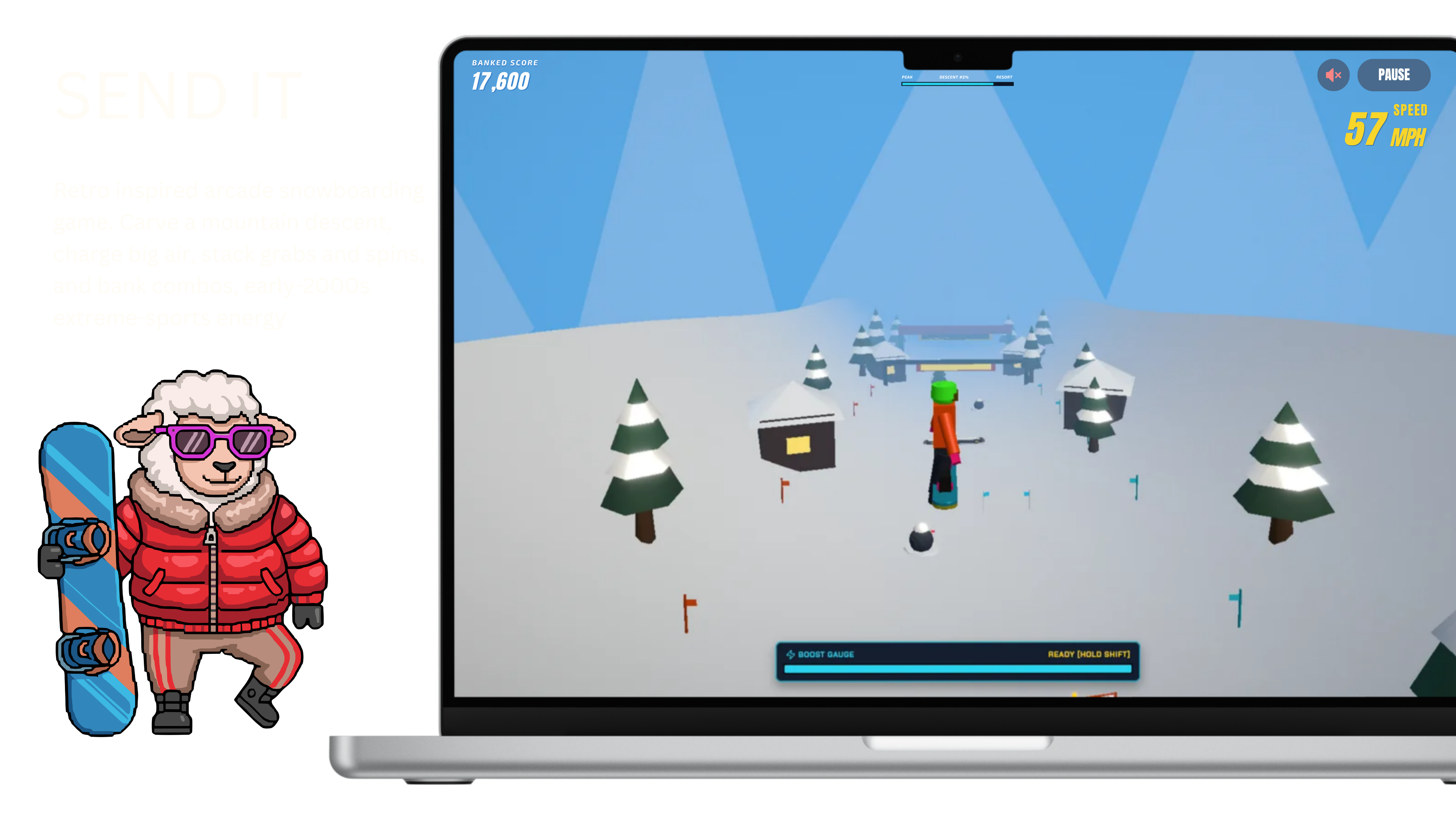
An original arcade snowboarding game for the browser. Carve a mountain descent, stack air tricks, and bank combos, built for fun, for learning, and because good snowboarding games are still scarce.
- { key: 'duration' }
- 1 week
- { key: 'role' }
- Creator & maintainer
- { key: 'atmosphere' }
- Fun-first side project
- { key: 'technology' }
- React, TypeScript, Vite, React Three Fiber, Zustand, Web Audio API
SEND IT: drop in, carve, stomp it
Picture a Tuesday night in September. No snow for months, no lift ticket, and a laptop that mostly runs data pipelines. SEND IT is my answer to that: an arcade snowboarding game that lives in a browser tab. Point downhill, carve, hold a jump, spin, grab, and try to land it before the mountain lands you.
I built it for three reasons. I wanted a winter toy I could play locally. I wanted to learn how real-time 3D actually feels to build in React, not just read about it. And, honestly, good snowboarding games are still few and far between (pour one out for the SSX era).
No accounts. No API keys. Nothing to download beyond the code. Even the sound is generated on the fly by the page.
Source code lives on GitHub: github.com/taylorsegell/send-it-snowboard-simulation.
Why a snowboarding game?
Because I wanted one, mostly. The snowboarding games I grew up on lived on consoles that have long since been unplugged, and the modern options are either a desktop sim with an installer and a hardware wishlist or a phone game that wants your email before it lets you turn. I wanted the version that opens in a tab, loads in a second, and lets me carve for ten minutes between meetings.
There was a second itch. Most of what I ship is data and product systems. Those get judged by whether the numbers are right and the pull request is clean. A game gets judged by a different organ entirely: your thumbs. If the carve feels mushy or the landing registers a beat late, nobody cares how tidy the code is. I had never built something where "feels right" was the bar, and I wanted to know what that was like.
So I gave myself a few rules, mostly to keep the thing small enough to actually finish:
- Keep it in the browser. Keyboard on a laptop, thumbs on a phone, nothing to install.
- Make it mine. Early-2000s extreme-sports energy is the inspiration; the rider, the mountain, and the sound are all original. No borrowed names, logos, or art.
- Chase the feel, not the feature list. Carve, air, grabs, boost, and an announcer with opinions. If it does not make the run more fun, it does not go in.
- No server, no keys. Clone it and it runs. Nothing to sign up for, nothing to paste into a config file.
- Build every piece myself. The physics, the heads-up display, the sound, the course. Not because that is efficient, but because owning the whole loop was the point of the exercise.
Solution
Here is the plain-English version of what is under the hood.
SEND IT is a single web app. The 3D scene is drawn with Three.js (the standard library for putting 3D in a browser), wired into React through React Three Fiber (which lets you describe a 3D scene the same way you describe a web page). The game's memory, meaning which screen you are on, your score, your boost, your pending combo, lives in Zustand, a small state manager that is basically one shared notebook every part of the game can read and write.
The part I am most pleased with: the mountain, the rider, and the sound are all procedural. That is a fancy word for "generated by code instead of loaded from files." There is no zip of 3D models, no MP3 of wind. The content is the source code, which means you can read the mountain.
What that gets you on the hill:
- An arcade slope, not a physics dissertation. A 1,400-meter descent with kickers, slalom gates, trees, and a finish line.
- Tricks you can actually name. Hold space to crouch and pop, spin and flip in the air, grab indy or method, then bank the combo on a clean landing.
- Boost as a reward. Burn it to go faster. Earn it back by stomping tricks, not by waiting around.
- A HUD that talks back. Speed, boost, combo, countdown, pause, wipeout, finish, plus on-screen buttons on a phone.
- Sound with no soundtrack file. The carve hiss, wind, boost, and trick hits are synthesized live with the Web Audio API.
- Fork-shaped on purpose. Apache 2.0 license, pnpm, Node 20+.
pnpm devand you are on the hill.
Implementation
For the folks who want to pop the hood, here is how the pieces fit together. Everyone else can skip to Key features; I will not be offended.
- Canvas root.
App.tsxmounts the HUD over a React Three Fiber canvas: shadows, a performance-minded renderer, and a camera that chases the rider. - Run state.
store.tsis a Zustand state machine that walks through menu, countdown, playing, pause, crash, and finish. It also tracks score, boost, combos, and the timed announcer lines. - Arcade physics.
Player.tsxplus the constants intypes.tshandle carve, jump charge, air, boost, and wipeouts. Gravity is floaty on purpose. This is a send, not a lecture on friction. - Procedural course.
LevelManagerand the course data place ramps, slalom gates, banners, chalets, pines, and hazards along the slope. No art pack was harmed, or downloaded. - Arcade HUD.
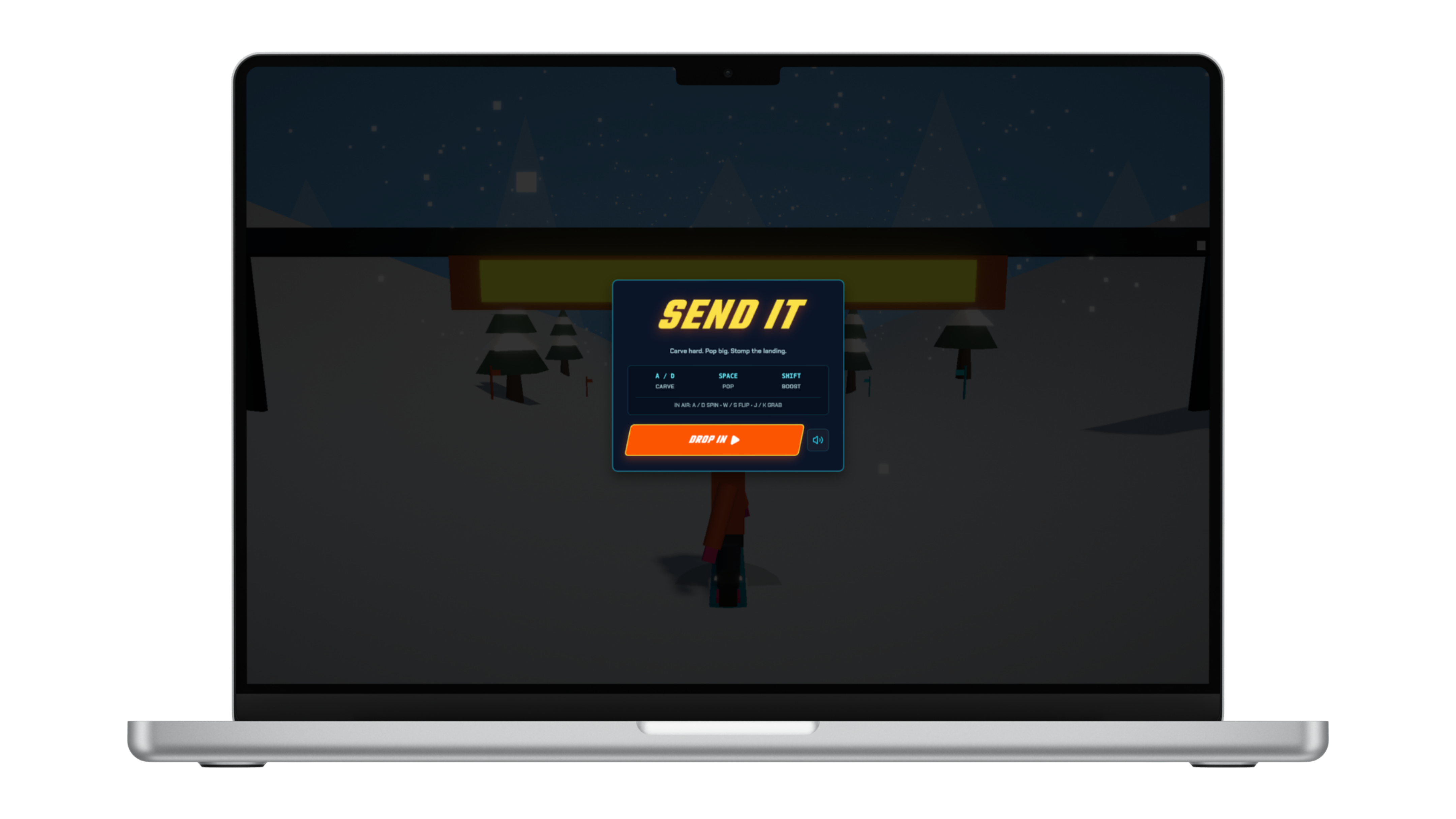
HUD.tsxowns the start screen ("DROP IN"), pause, mute, finish, crash, and the small-screen control pad, which fires the same key events a keyboard would. - Synthesized audio.
Audio.tswaits for your first click or tap to start anAudioContext(browsers insist on that), then layers noise, filters, and oscillators. Mute is a volume change, not a missing file.
Key features
Carve, pop, stomp
- A / D or the arrow keys to carve. Hold space to charge a jump, release to pop.
- In the air: spin, frontflip or backflip, indy (J) and method (K).
- Left Shift burns boost. Clean tricks put some of it back.
A combo HUD that stays out of the way
- Pending tricks, multiplier, and score sit right on the run, not in a pause menu you have to remember to check.
- Wipeouts and obstacle hits always have a reason; a clean landing banks the combo.
- Pause with P or Escape, mute with M, restart from the finish line or a run-ending crash.
Play it where you are
- Keyboard on desktop. On-screen carve, jump, boost, flip, and grab buttons on a phone.
- No login, no cloud save, no AI model behind the curtain.
- Local loop is
pnpm installthenpnpm dev(Vite on port 3000).
Original world, original sound
- Rider, mountain, and props are built in the scene, not imported.
- Carve and wind are generated in the browser, so a clone does not ship a music library.
Results
SEND IT is the game I wanted on a weeknight: drop in, miss a landing, drop in again. One week, start to finish.
For me it was a compact way to learn a real-time loop (render, input, state, audio) without standing up a studio. Data work taught me to make things correct. This taught me to make things feel right, which turns out to be a different muscle and a fun one to work.
For anyone else, it is a small, Apache-licensed original you can run locally, fork, and poke at in play terms (carve, air, HUD, audio) instead of framework slogans.
Try it
Repository: clone or fork SEND IT on GitHub
git clone https://github.com/taylorsegell/send-it-snowboard-simulation.git
cd send-it-snowboard-simulation
pnpm install
pnpm dev
Then open the URL Vite prints. Easy peasy lemon squeezy.
If you want to play today, you can play it here.
Questions about this work — or a similar problem?