AI Solves for What It Sees, Not What You Mean
The agent works from what is in front of it. It cannot verify whether the file path you gave it still exists. It cannot infer that your one example represents fifty similar cases. It cannot tell the difference between a broken prompt and a dropped network connection.

Taylor Segell
- Published on
AI Solves for What It Sees, Not What You Mean
AI in The Wild | Part IV
Field notes from real enterprise projects. No theory. Just what actually happened.
You Showed It the Wrong House. It Renovated the Wrong House. Beautifully.
Here is what happened.
I shared a screenshot with an AI agent to give it context on a bug. The screenshot had the file path, the current state, and what needed fixing. From the agent’s perspective, the task was clear. It diagnosed the issue correctly, made a clean fix, and ran it.
Nothing changed.
I spent twenty minutes trying to figure out what went wrong. The fix looked right. The logic made sense. The output said it ran. There was no obvious failure, no angry red error, no dramatic collapse of the machinery.
Then I noticed the problem.
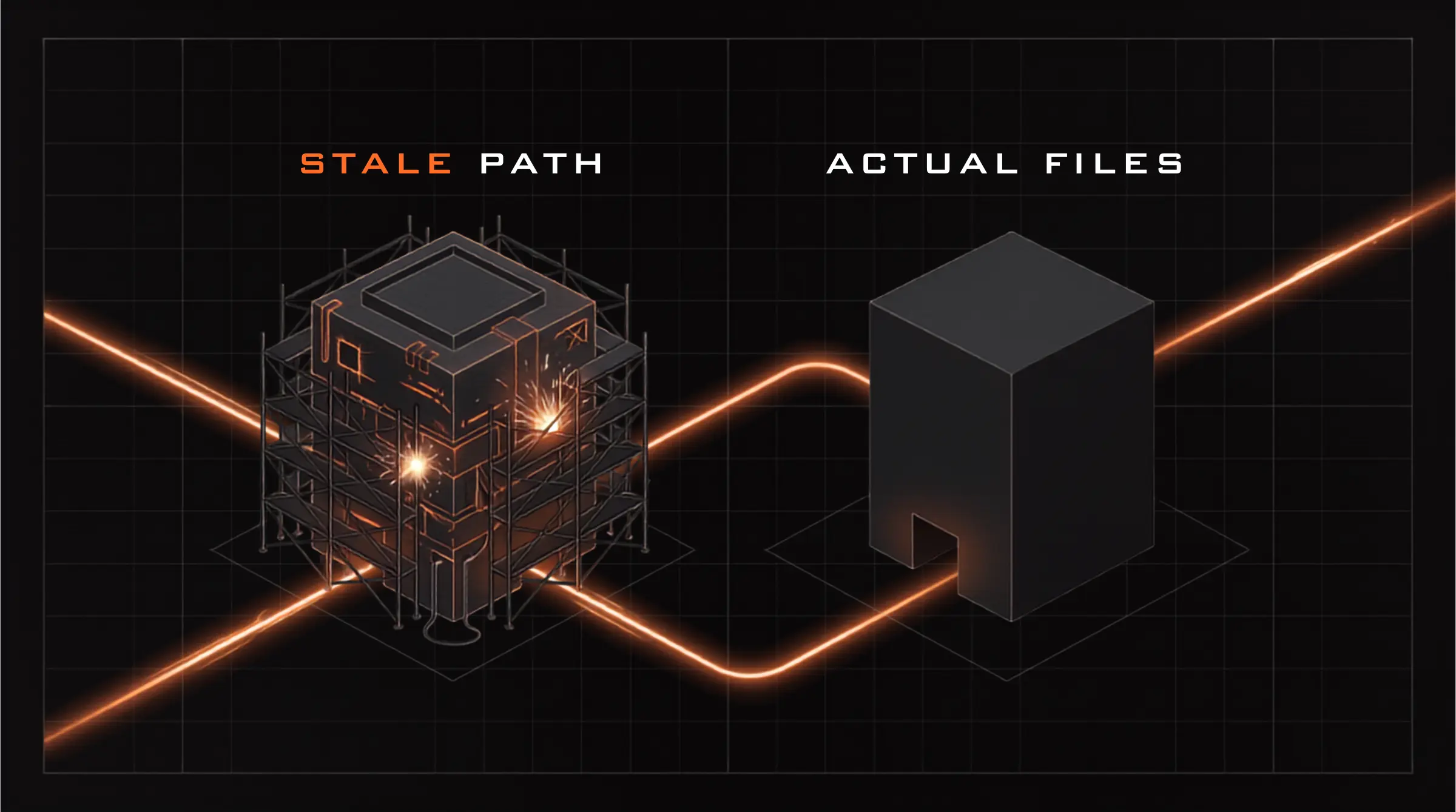
The file path in the screenshot was two weeks old.
My actual files had moved.
The agent had solved the problem perfectly, precisely, and confidently for a location that no longer existed. It did not fail in the way people usually mean when they say AI failed. It did exactly what I asked based on the information I gave it.
I showed it the wrong house.
It renovated the wrong house.
Beautifully.
That is not an AI problem. That is a precision problem.
The Agent Works From the Evidence, Not the Intention
The agent works from what is in front of it.
It does not automatically know that the screenshot is stale. It does not know that the file path used to be correct but is now dead. It does not know that your one example represents fifty similar cases unless you tell it. It does not know that the tool is frozen because your corporate network quietly dropped the connection twenty minutes ago.
It sees the evidence you provide and solves against that evidence.
That sounds obvious until you are inside the workflow. When you are moving fast, you assume the agent understands the same context you do. You assume it knows which file path is current. You assume it understands that your example is representative. You assume it can tell the difference between a bad prompt, a bad fix, and a bad connection.
It cannot.
Or at least, you should not build your workflow around the hope that it can.
Across enterprise data engineering projects, I have seen the same pattern show up repeatedly: stale paths produce confident fixes that run against nothing, single examples get treated as the entire scope, and infrastructure failures get mistaken for AI failures. Different symptoms. Same root cause.
The agent solved for exactly what it was shown.
What it was shown was incomplete.
That is the problem.
The Precision Check
The framework I use now is simple: before any consequential AI-assisted session, run a Precision Check.
Not a thirty-step governance ritual. Not a ceremony with twelve stakeholders and a spreadsheet named final_final_v7.xlsx. Just a quick sanity check before you ask the agent to do real work.
The Precision Check has three parts:
1. Verify the path.
2. Declare the scope.
3. Check the environment.
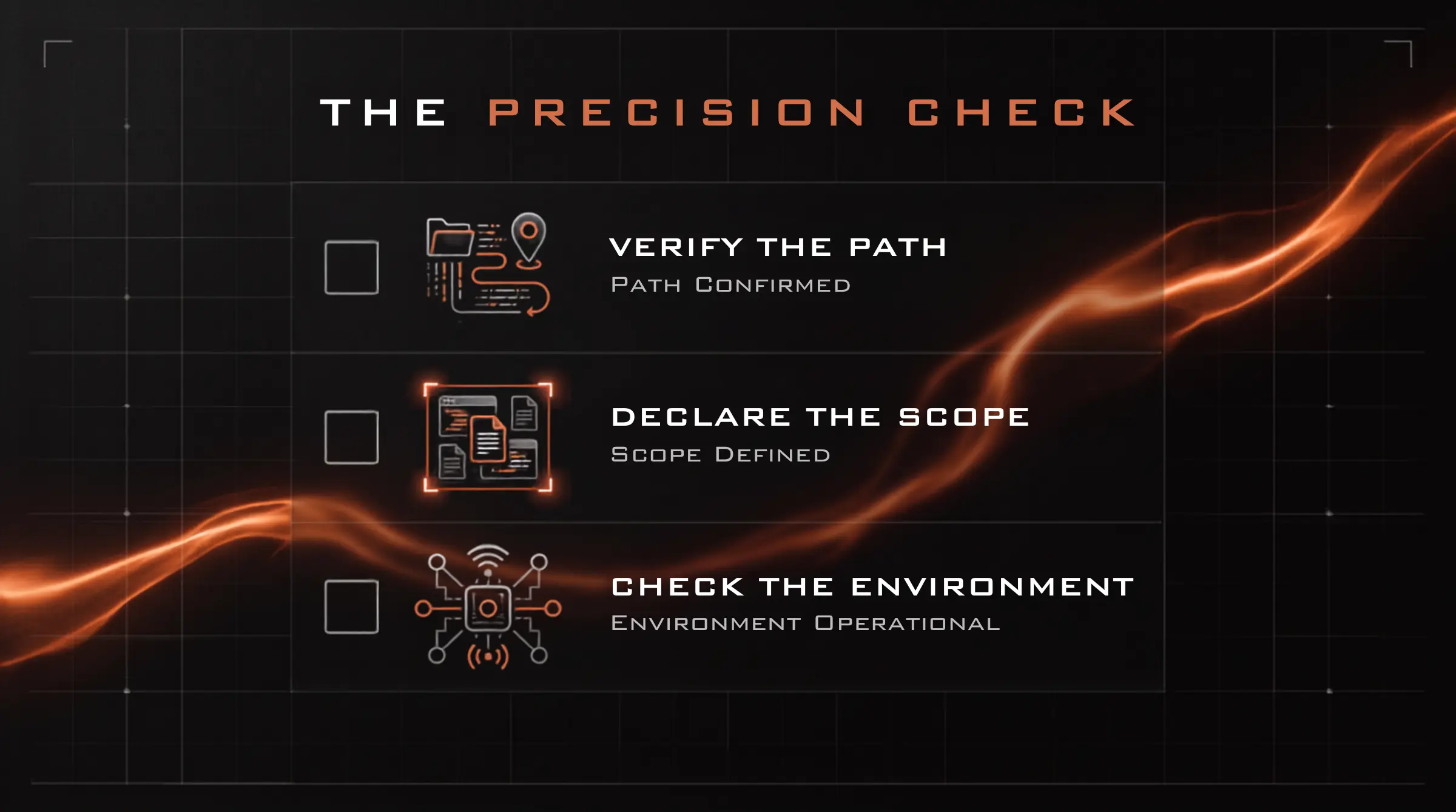
The goal is to make sure the agent is solving the actual problem, in the actual place, across the actual scope, inside a working environment.
That sounds small.
It is not.
Most painful AI debugging sessions I have been in were not caused by the model being mysterious. They were caused by the inputs being stale, narrow, or misleading.
Verify the Path
If your prompt references a file path, confirm that the path reflects the current state of your environment before you send it.
Not from memory. Not from a screenshot. Not from a doc you wrote three weeks ago while running on caffeine and false confidence. Confirm the actual path.
This matters because stale paths create the worst kind of fake progress. The agent can produce a correct-looking fix against the wrong target. The explanation makes sense. The command appears to run. The patch looks reasonable. Meanwhile, the files you actually care about are sitting untouched in another directory, watching the circus from a safe distance.
A good habit is to make path confirmation explicit in the prompt:
Current path confirmed:
/actual/current/pathDo not use paths from screenshots unless they match the current project state.
That one line can save you from an hour of debugging a ghost.
The house analogy is dumb because it is obvious, which is exactly why it works. If you show someone an old photo of a house and ask them to fix the plumbing, do not be shocked when they fix the wrong house.
Show the agent the current house.
Declare the Scope
The second failure mode is scope.
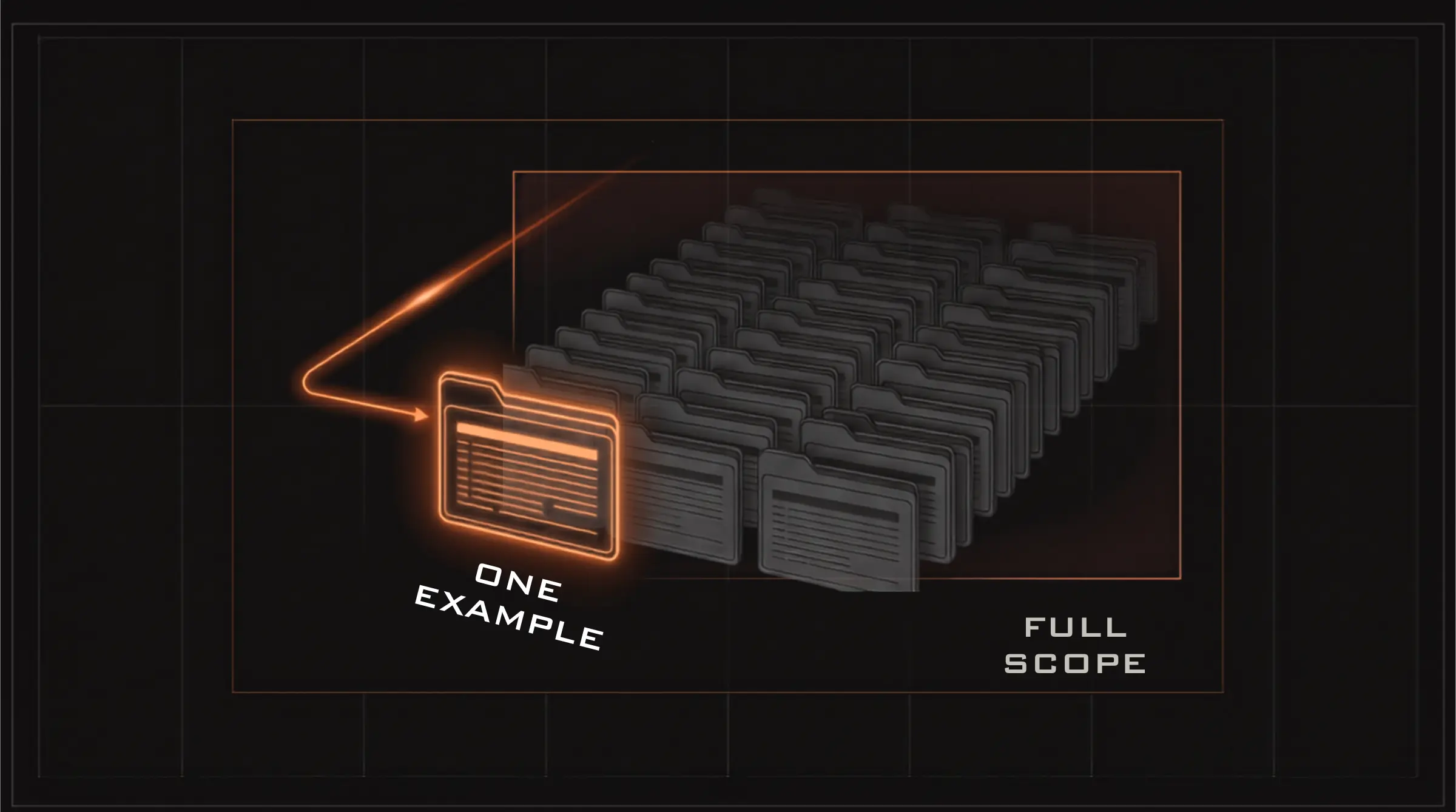
You show the agent one example and mean, “This is representative of a larger pattern.”
The agent sees one example and solves one example.
That is not the agent being lazy. That is the agent doing what was actually specified.
If there are fifty files, say there are fifty files. If the example represents a class of cases, say that. If the solution needs to generalize across multiple formats, directories, templates, tenants, records, or environments, make that explicit before the agent starts building around the first thing it sees.
A useful scope statement looks like this:
Scope:
- This is one example of a pattern across 50 generated files.
- The fix must address the shared source template, not only this single output.
Without that sentence, the agent may solve the visible case perfectly and still miss the real job.
This is one of the easiest ways to accidentally create demo-quality work. It works on the example. It passes the test you ran. It looks clean in the pull request. Then production shows up with forty-nine cousins and a suitcase full of weird edge cases.
One example is not a scope.
It is evidence.
You still have to tell the agent what the evidence represents.
Check the Environment Before You Blame the Prompt
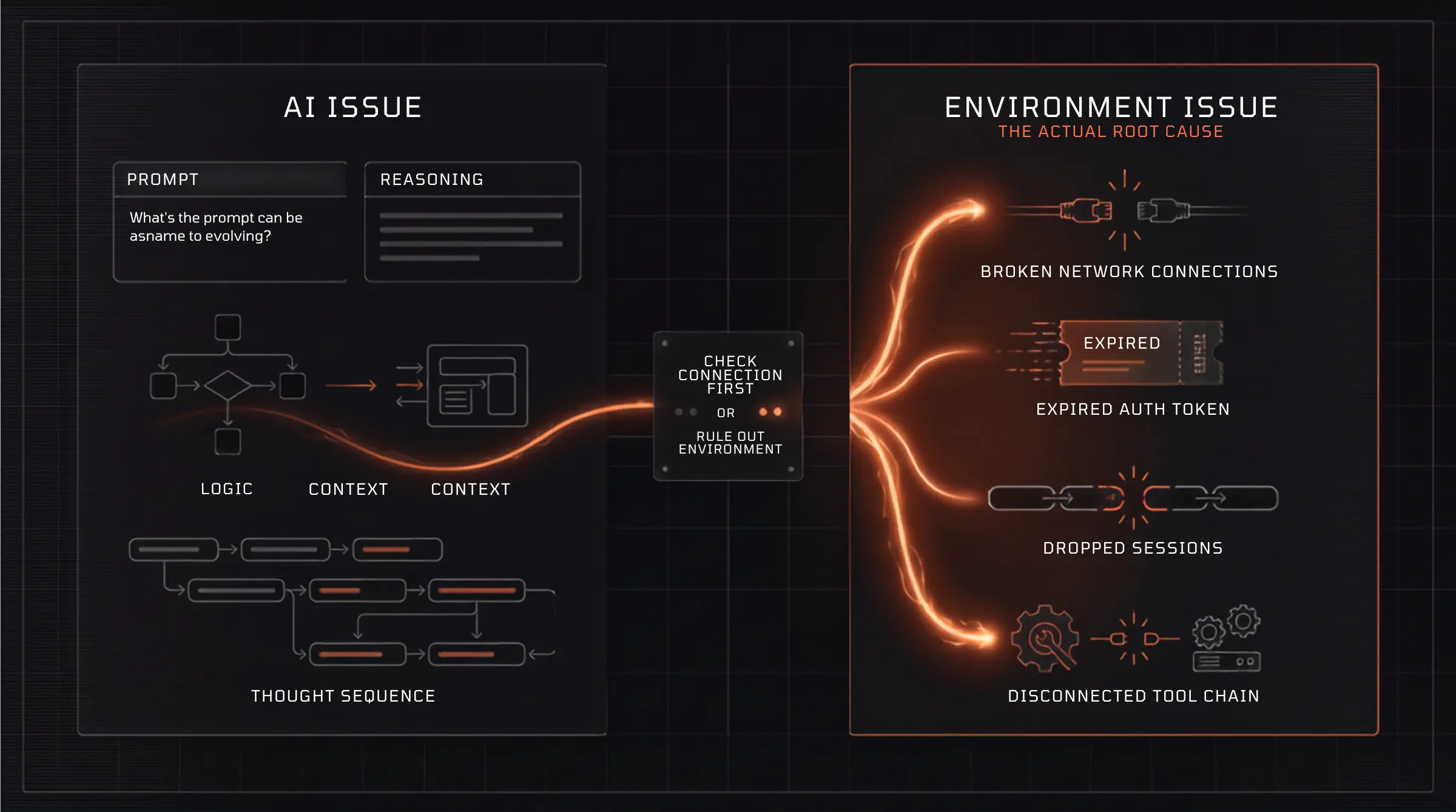
The third failure mode is infrastructure pretending to be intelligence.
On managed corporate networks, things fail quietly. Connections drop. Tools freeze. Auth expires. Proxies get weird. Something times out in the background and the whole session starts acting like the agent suddenly forgot how computers work.
Then everyone does the natural thing: they rewrite the prompt.
That is usually when the meeting enters its haunted phase.
The prompt was fine. The model was fine. The environment was not.
Before you assume the agent is broken, rule out the boring stuff. Is the session connected? Is the network behaving normally? Did auth expire? Does the same command work outside the agent? Does a different tool fail in the same way? Did the system stop responding because the model was confused, or because the connection dropped twenty minutes ago?
A revised prompt will not fix a dropped network connection.
That sentence should be written on the wall of every AI project room, ideally in orange warning tape.
When something looks broken, separate the AI problem from the infrastructure problem before you start diagnosing the model. Otherwise, you end up adjusting the steering wheel while the car is out of gas.
Put It Together
AI agents are literal in a way that feels intelligent until your context is wrong.
They solve for the information in front of them. They do not automatically know which parts are stale, which examples are representative, which constraints are implied, or which failures are environmental.
That is your job.
Before a consequential session, confirm three things:
- Current state: Are the paths, files, screenshots, and references still accurate?
- Full scope: Is this one case, or one example of many?
- Working environment: Is the tool actually connected and functioning?
This is not about slowing down. It is about avoiding fake speed.
Nothing feels faster than letting the agent run immediately. Nothing feels slower than realizing it spent the last hour solving the wrong version of the problem with incredible confidence.
The agent can help you move fast, but it only sees what you put in front of it.
So put the right thing in front of it.
One Thing to Do Today
Before your next AI session, add three lines to the top of your prompt:
Current state confirmed:
Scope:
Out of scope:
Then fill them in before you ask for the fix.
That tiny step forces you to confirm the path, declare the boundaries, and separate what the agent should solve from what it should ignore.
Your very fast junior engineer will renovate exactly the house you point to. They are not going to verify the address, inspect the whole neighborhood, and call your internet provider on the way in.
That is not their job.
It is yours.
Show them the right house.
Show them all the houses.
Then let them work.
AI solves for what it sees, not what you mean.
Paste this into an AI chat.
- ai
- generative_ai
- agents
Stay tuned
Articles, links, and notes on data, AI, and building—roughly weekly in your inbox.